Case study
Operational product
המחלבה
One working system for scheduling, management workflows and day-to-day operations, from a person’s next shift to the operation as a whole.
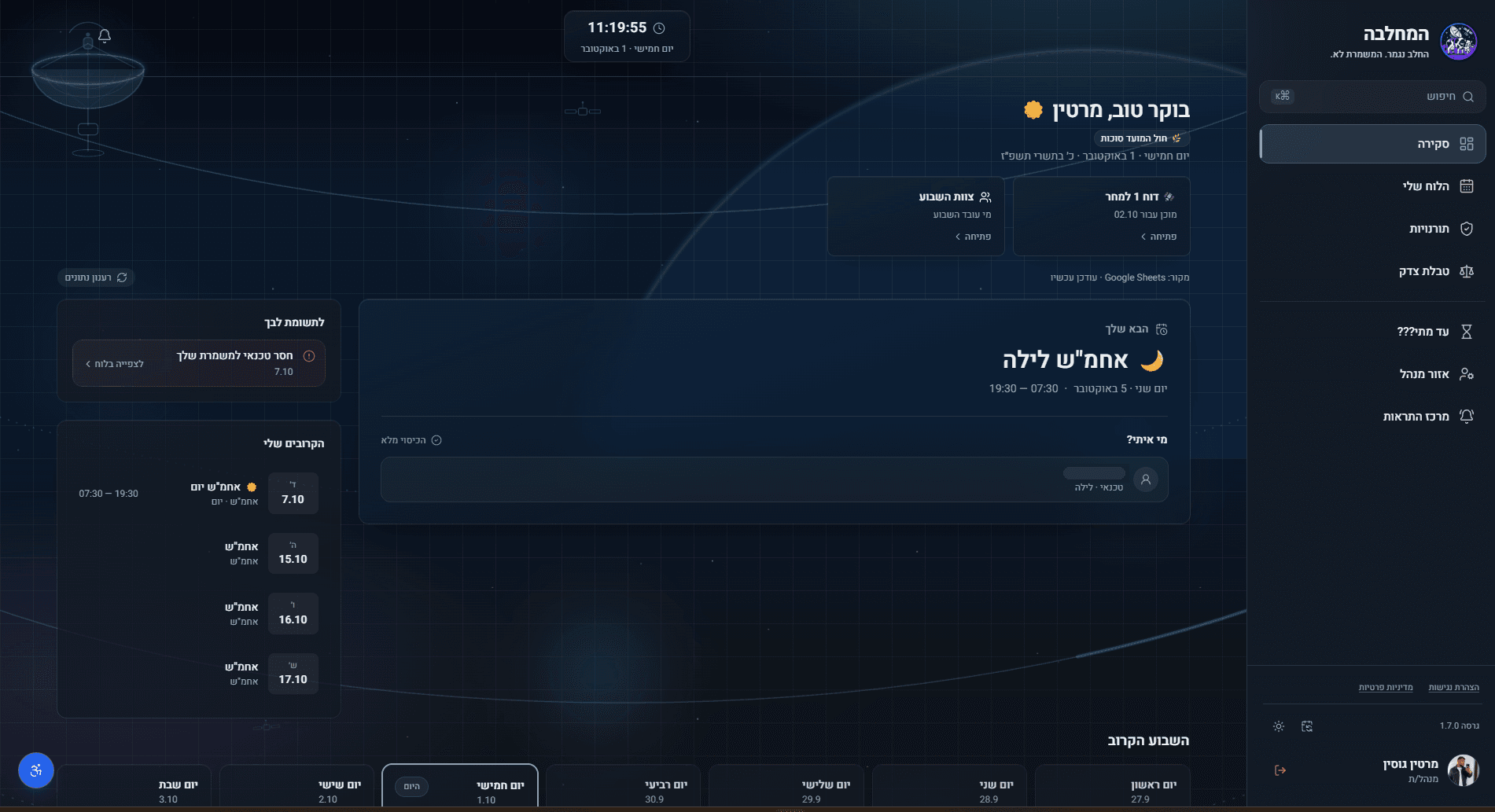
01The context: An operation runs on states: who is on, who is off, what is covered.
The same schedule means something different to everyone reading it: a person checking their next shift, a team looking at its week, a manager looking at the whole operation. המחלבה gives each of them a view of their own, in one system.
02Your shift: The next shift comes first.
Before anything else, a person needs to know when they work next, and with whom.
- The next shiftIts name set large, with the day and the hours beneath it.
- Who is on itEach person with their role. The names are removed.
- CoverageStated in words, beside them.
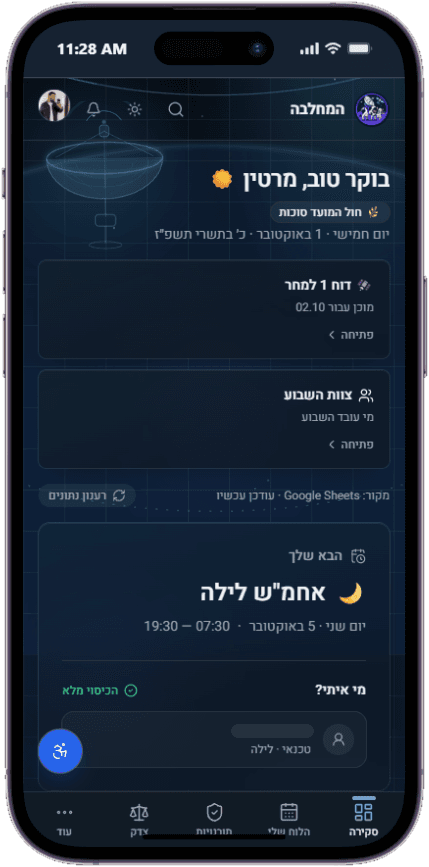
On a phone
The same order as on the desktop: the next shift and who is on it come first. The main sections move to a bar along the bottom.
03The team: The whole team’s week, in one view.
Everyone plans around the same week, so it has to read at a glance.
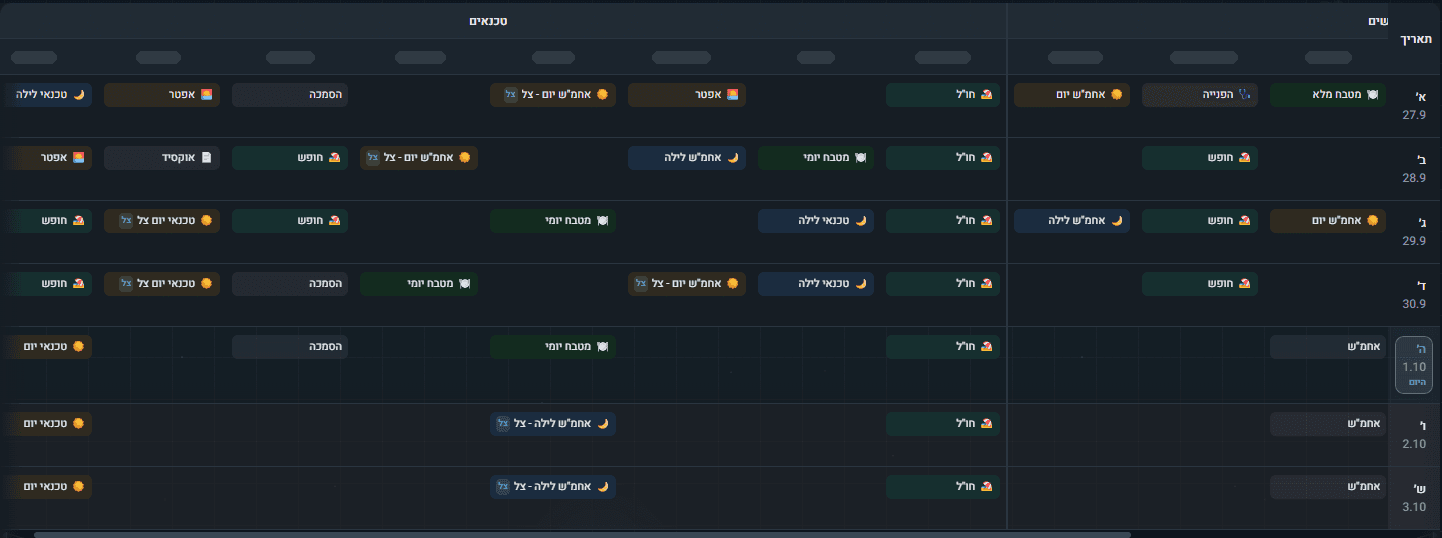
- By roleA column for each person, under role headings that return in the manager area. The names are removed.
- Shifts, leave and dutiesEvery entry has a label of its own.
- TodayMarked in the day column.
04The operation: A manager needs a different picture.
Not one shift or one week, but the whole operation: what ran, what is running, what comes next, and whether each is covered.
A snapshot of the schedule, the coverage and the team.
תמונת מצב של הסידור, הכיסוי והצוות.
Previous shiftWhen it ran, and its coverage.
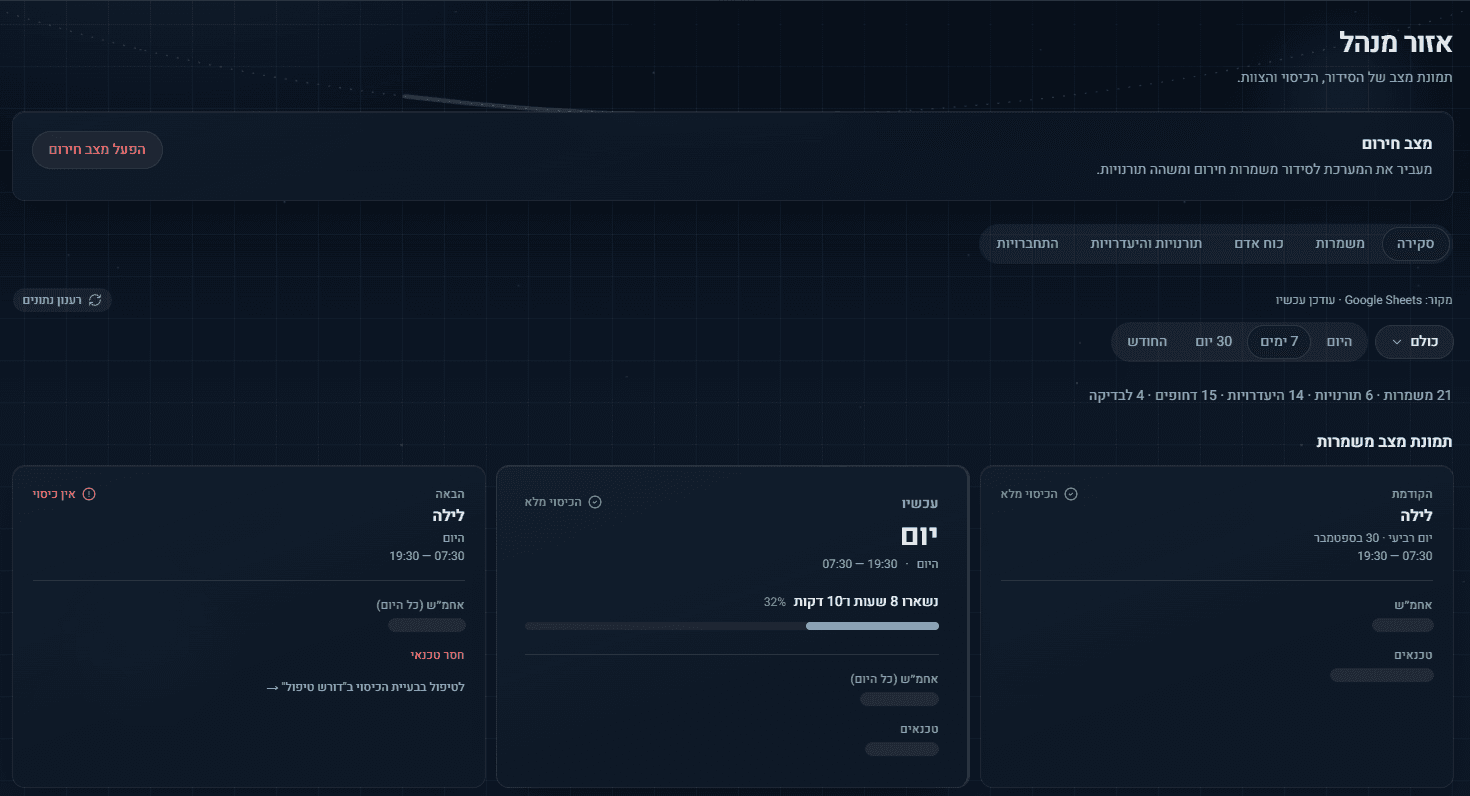
Current shiftIts coverage, and the time left in it.
Next shiftIts coverage, and what is missing.
System mechanics
Coverage in words, an icon and a color: full or none. Today, marked the same way on Home and in Team Week.
05One system: Many operational states, one working system.
One person’s shift, the team’s week, the whole operation: three pictures drawn from the same states. המחלבה keeps them in one system, on the desktop and on a phone.
| Home | Team Week | Manager area | Mobile | |
|---|---|---|---|---|
| Your next shift | Home | Mobile | ||
| Who is on it | Home | Mobile | ||
| Reports | Home | Mobile | ||
| The week ahead | Home | Team Week | ||
| Shifts, leave and duties | Team Week | |||
| By role | Team Week | |||
| Previous, current and next shift | Manager area | |||
| Coverage | Home | Manager area | Mobile | |
| Emergency mode | Manager area |
Also in the work
Internal Systems
Selected parts of internal systems, with identifying details removed.
All work